Changelog

    What's new in EngineMap

    Every update, newest first. If something here changes how you work, the user guide says how to use it.

    1. Maps your AI draws come out right

      Claude, ChatGPT or HighLevel's Ask AI can no longer hand you a map that reads wrong. EngineMap now checks every map an assistant draws, fixes the shapes that confuse people, and sends back anything it can't fix with what to change.

      • New

        AI Studio form submitted, HighLevel's trigger for forms on an AI Studio site, is in the library under Workflow triggers.

      • Improved

        When an assistant puts a "Form submitted" step between two pages, EngineMap takes it out and connects the pages directly. The people who land on the next page are the ones who filled the form in, and the workflow fires from the page.

      • Improved

        An assistant can't leave every number at 0 any more. It has to give a starting estimate, marked as a draft, so the map shows how people move through it from the start.

      • Fixed

        A Goal at the end of a follow-up no longer reads as if everyone who got the emails applied, booked or cancelled. It becomes an End, and the HighLevel goal's name stays on it.

      • Fixed

        A no-show workflow an assistant hangs off the call now fires on the people who booked and didn't turn up, not on the people who had the call and didn't buy.
    2. Your AI can suggest changes, and an Appointment Funnel

      Your AI assistant can now suggest changes to a map you already have, and you decide whether they go in. Generate a funnel now asks what kind of business it's for and shows the figures a typical one gets. Plus a funnel for businesses that run on appointments, and connections you can follow by eye.

      • New

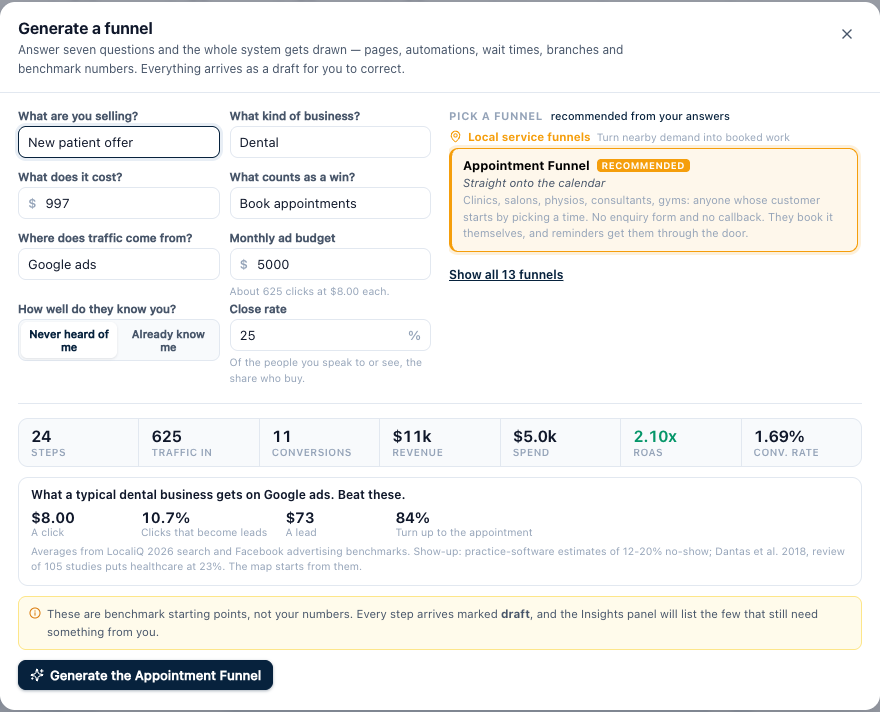
        Generate a funnel asks what kind of business it's for: dental, clinics, med spas, gyms, trades, real estate, legal, coaching, agencies, finance or ecommerce. On Google and Meta ads the click cost and the first page's conversion follow what a typical business of that kind gets, and so does the show-up rate where it's published. A box under the numbers shows those typical figures, with their sources, so you know what to beat. Close rates and purchase rates stay as you set them, because your offer and your closer decide those more than your niche does. Pick Other if yours isn't listed and nothing changes.

        Generate a funnel set to Dental and Google ads, with a box showing what a typical dental business gets: $8.00 a click, 10.7% of clicks become leads, $73 a lead, 84% turn up
      • New

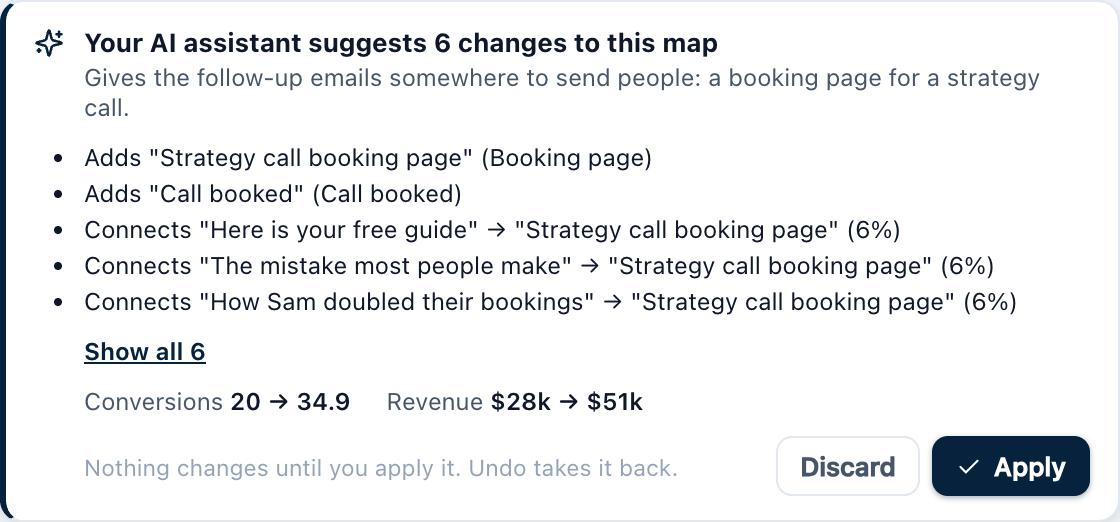
        Your AI assistant can now suggest changes to a map you already have, not just draw new ones. Open the map and a box lists every change, with the conversions and revenue before and after. Click Apply to make the change, Undo to take it back, or Discard. Nothing changes until you apply it, and your actual numbers and HighLevel links are kept.

        The suggested changes box over a map: each change listed, conversions and revenue before and after, Discard and Apply buttons
      • New

        Copy a step and everything after it, like HighLevel's copy from here. Select a step and click the copy-with-a-plus button in the Edit tab. The copy keeps its connections and lands beside the original, ready to drag into place.

      • New

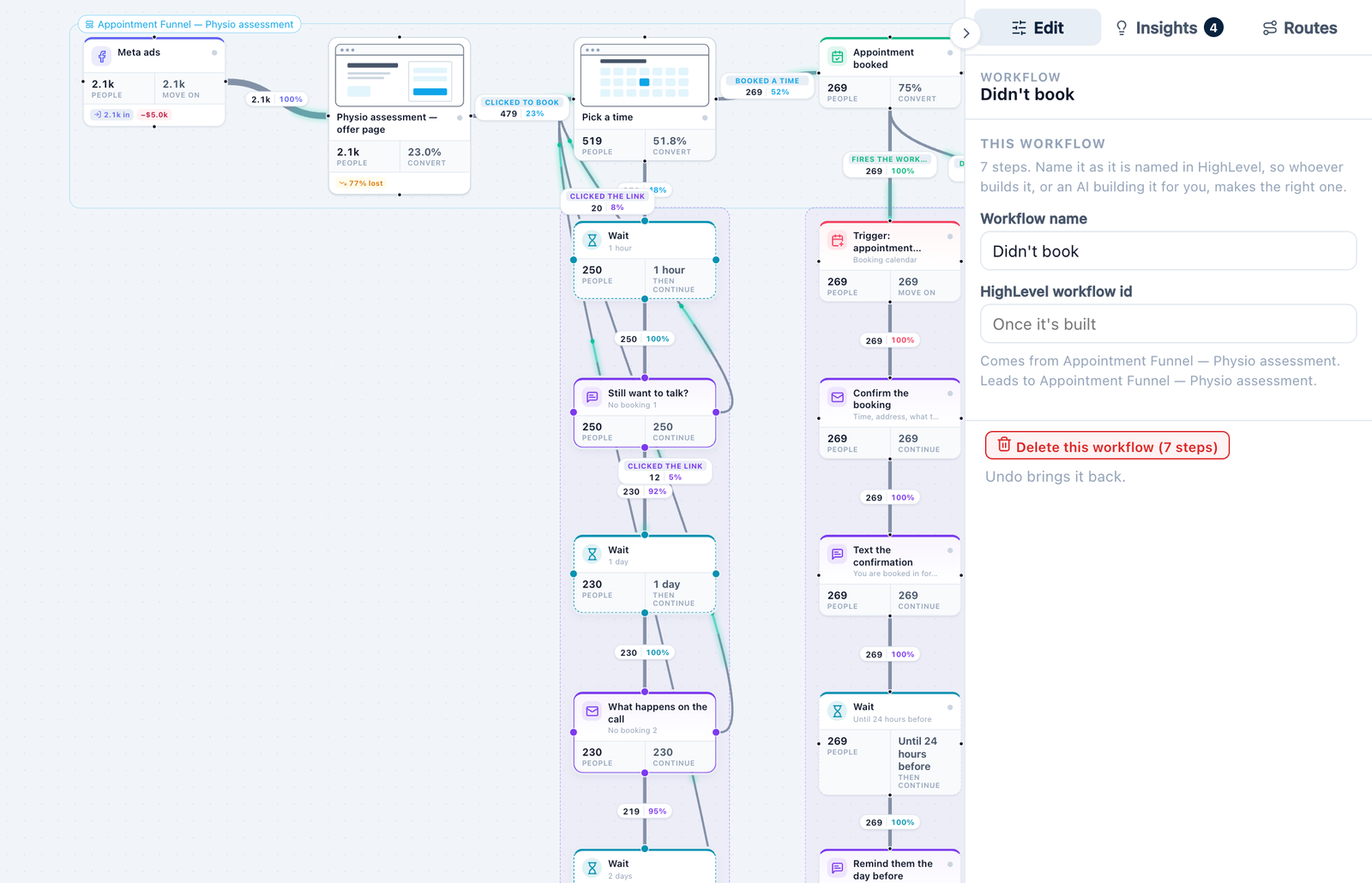
        A Didn't book sequence, for people who reached your booking page and left. Three nudges, each connected back to the booking page with the share who click. Hang it off the booking page.

        The Didn't book sequence hanging off a booking page, with Clicked the link connections back to the page and Delete this workflow in the Inspector
      • New

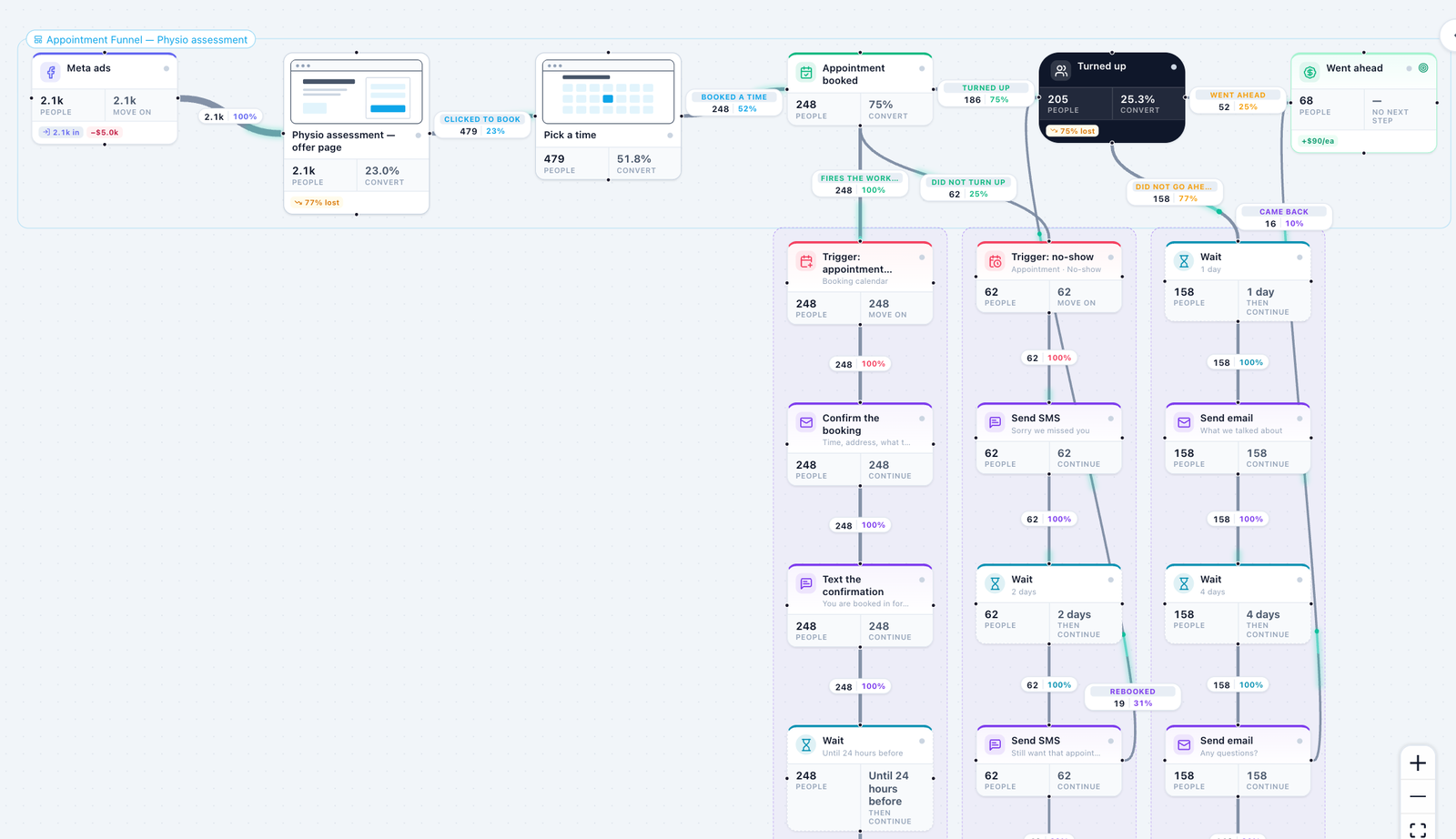
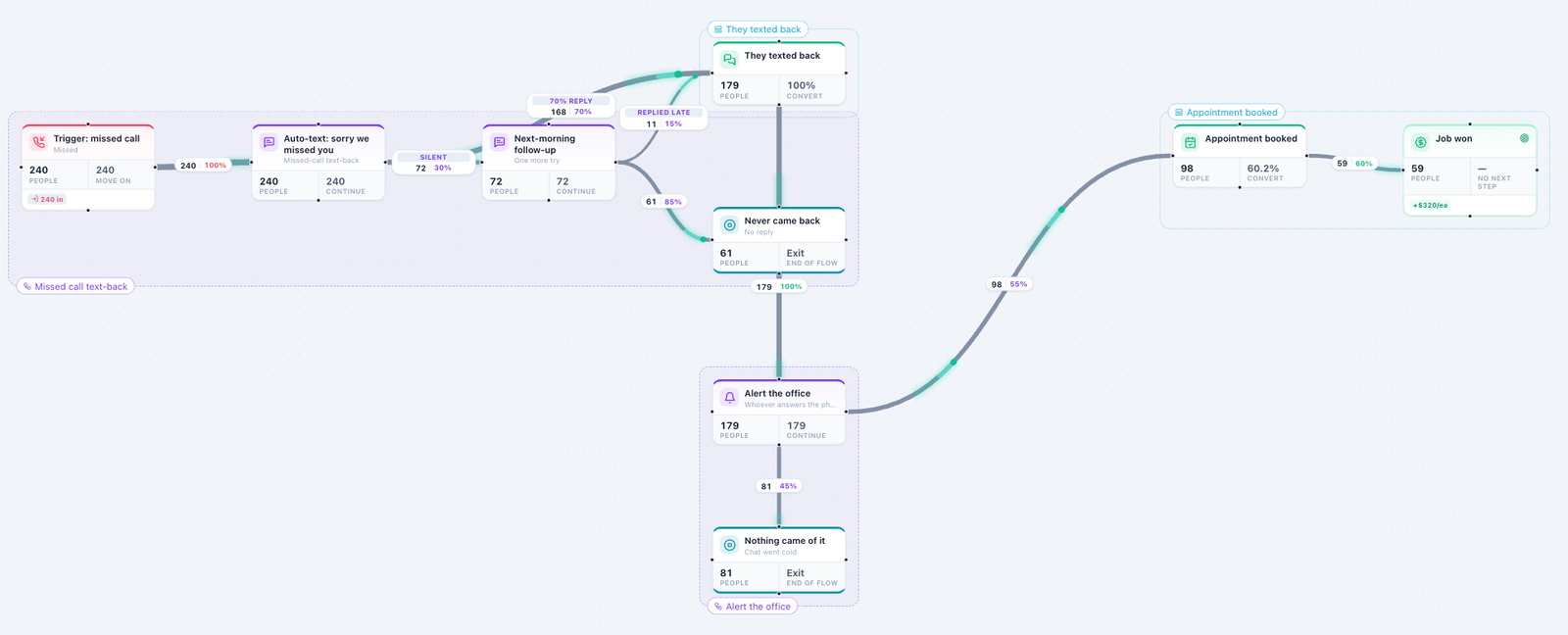
        Appointment Funnel. For clinics, salons, physios, gyms and consultants whose customers book a time themselves. It comes with booking confirmations and reminders by email and text, a no-show rebook, and a follow-up for people who turn up but don't go ahead. Pick Book appointments as the win in Generate a funnel.

        A generated Appointment Funnel: offer page, booking page, booked, turned up, went ahead, with confirmation, no-show and follow-up workflows below
      • New

        A warning when your follow-up never reaches the page it is meant to fill, such as a nurture whose emails link to the booking page but aren't connected to it. Connect each email or text that carries the link to the page, and put the share who click on it.

      • Improved

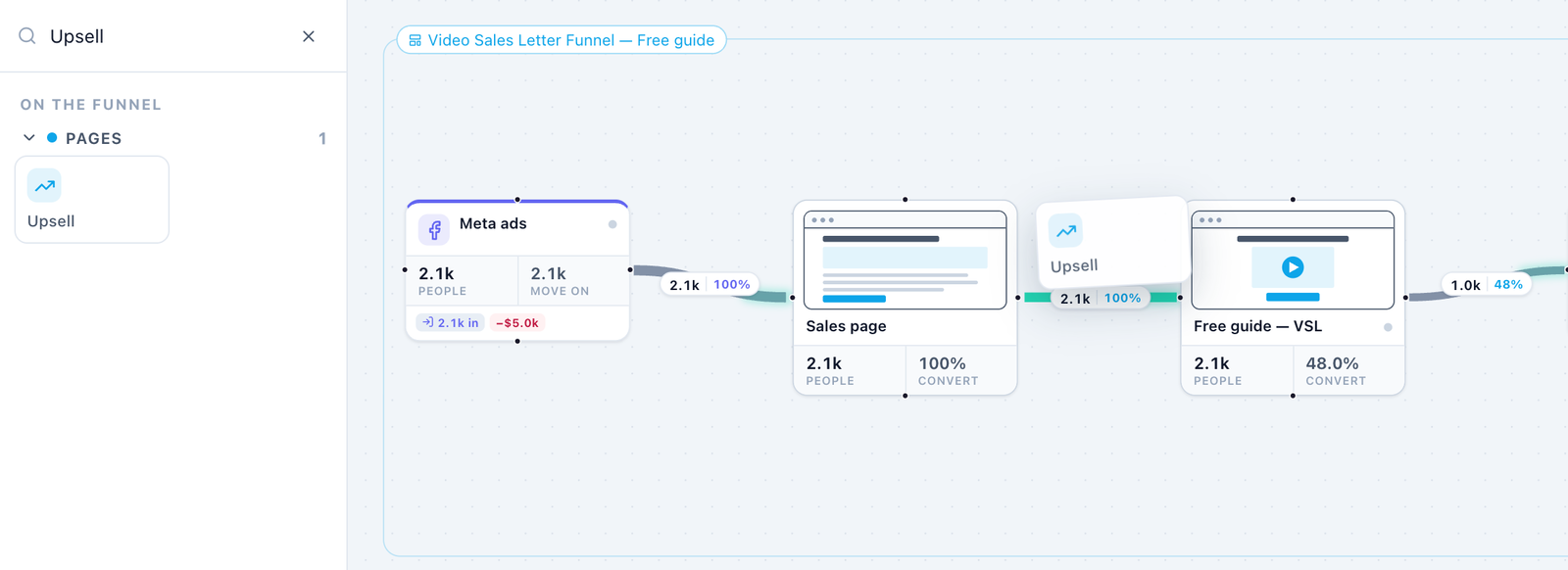
        Adding a step no longer means moving everything else by hand. Click a step, then a step type in the library, and the new one goes in after it. Or drag a step type onto a connection and it slots in between. Either way the map makes room.

        A step type being dragged onto a connection, which is lit mint where it will slot in
      • Improved

        A sequence arrives as its own workflow, already selected. Wrong one? Click Delete this workflow, or press Delete. Drag a sequence onto a step to hang it off that step.

      • Improved

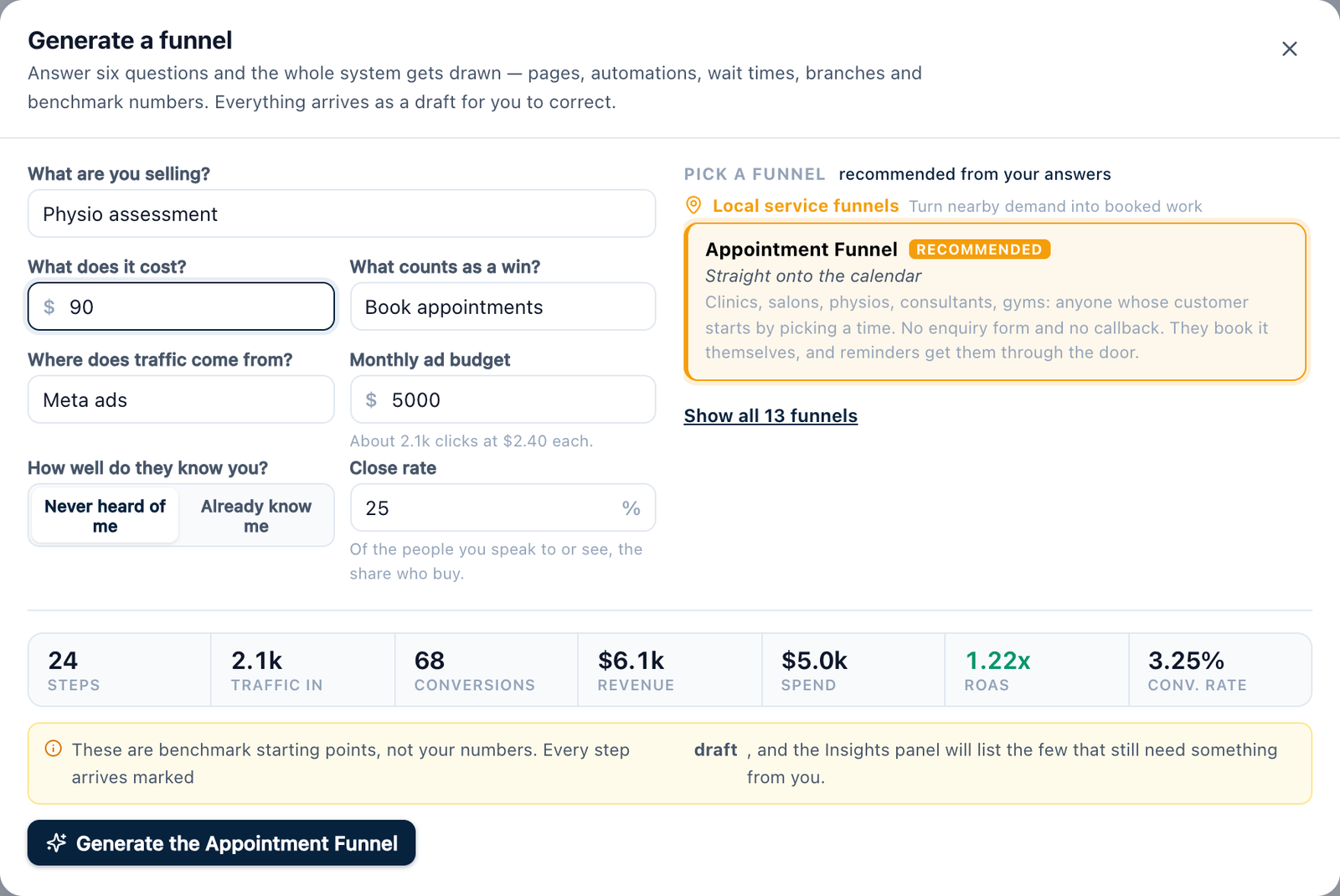
        Generate a funnel now only lists the funnels that suit the win you picked. Show all 13 funnels brings the rest back.

        Generate a funnel with Book appointments as the win, listing only the Appointment Funnel and a Show all 13 funnels link
      • Improved

        The EngineMap skill for Claude and ChatGPT now draws those connections from every message with a call to action. Download it again from Connect your AI.

      • Improved

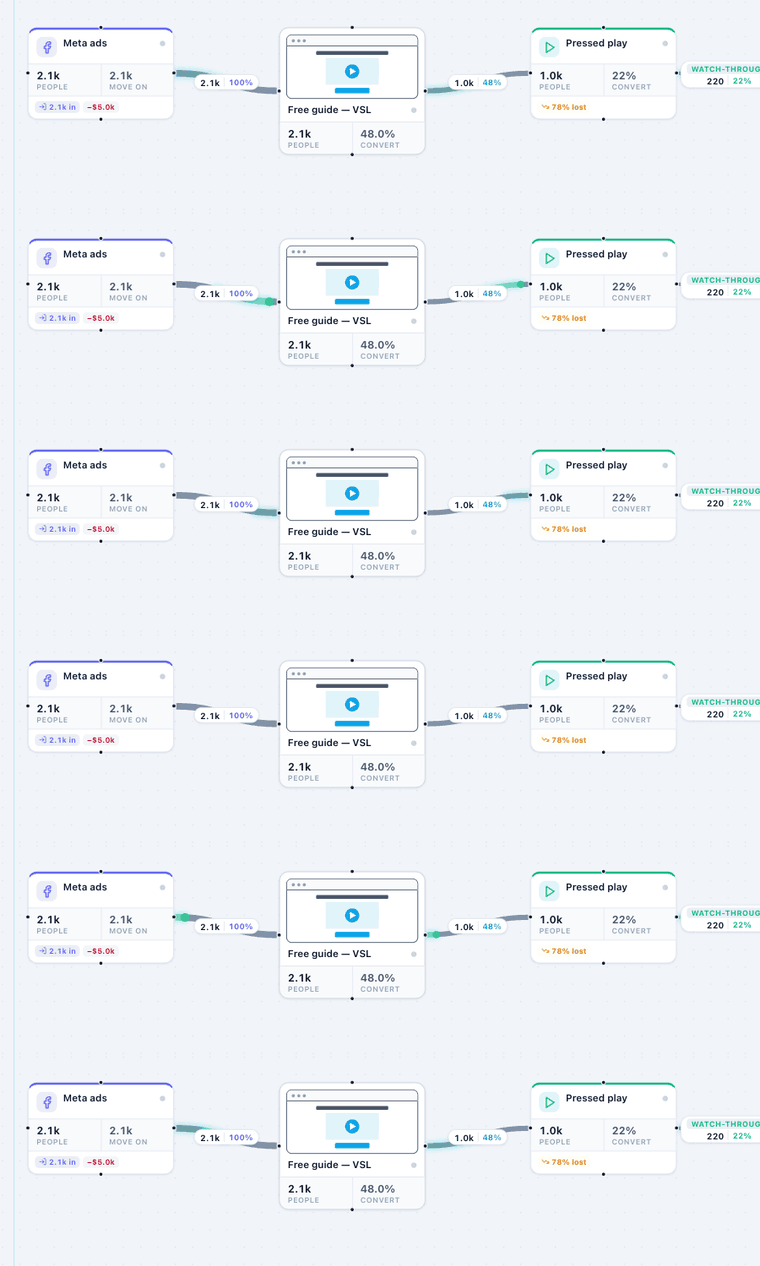
        Connections are easier to see. Lines are thicker, and small points of mint light run along each one in the direction people travel. If your computer is set to reduce motion, they stay off.

        Small points of mint light running along the connections between steps
      • Fixed

        Connection labels no longer sit on top of each other. A link from a message back to a page is now labelled next to that message, not halfway up the map beside a different one.

      • Fixed

        A message that sends some people to a page now says so. Continue counts only the people who stay in the workflow, and a tag shows the rest, such as "18 to Pick a time". It used to count both, so the numbers looked as if they didn't add up.

    3. Numbers that follow, and workflows with names

      The biggest release since launch. Plans now work one way all the way down, every workflow and funnel on a map has a name, and the Snapshot is organised the way HighLevel is.

      • New

        Workflows and funnels are named on the map. Each one has a frame and a name tab. Click the name to rename it as it is named in HighLevel, add its HighLevel id, or mark a funnel as website pages.

        A map with a frame and a name tab round each workflow and funnel
      • New

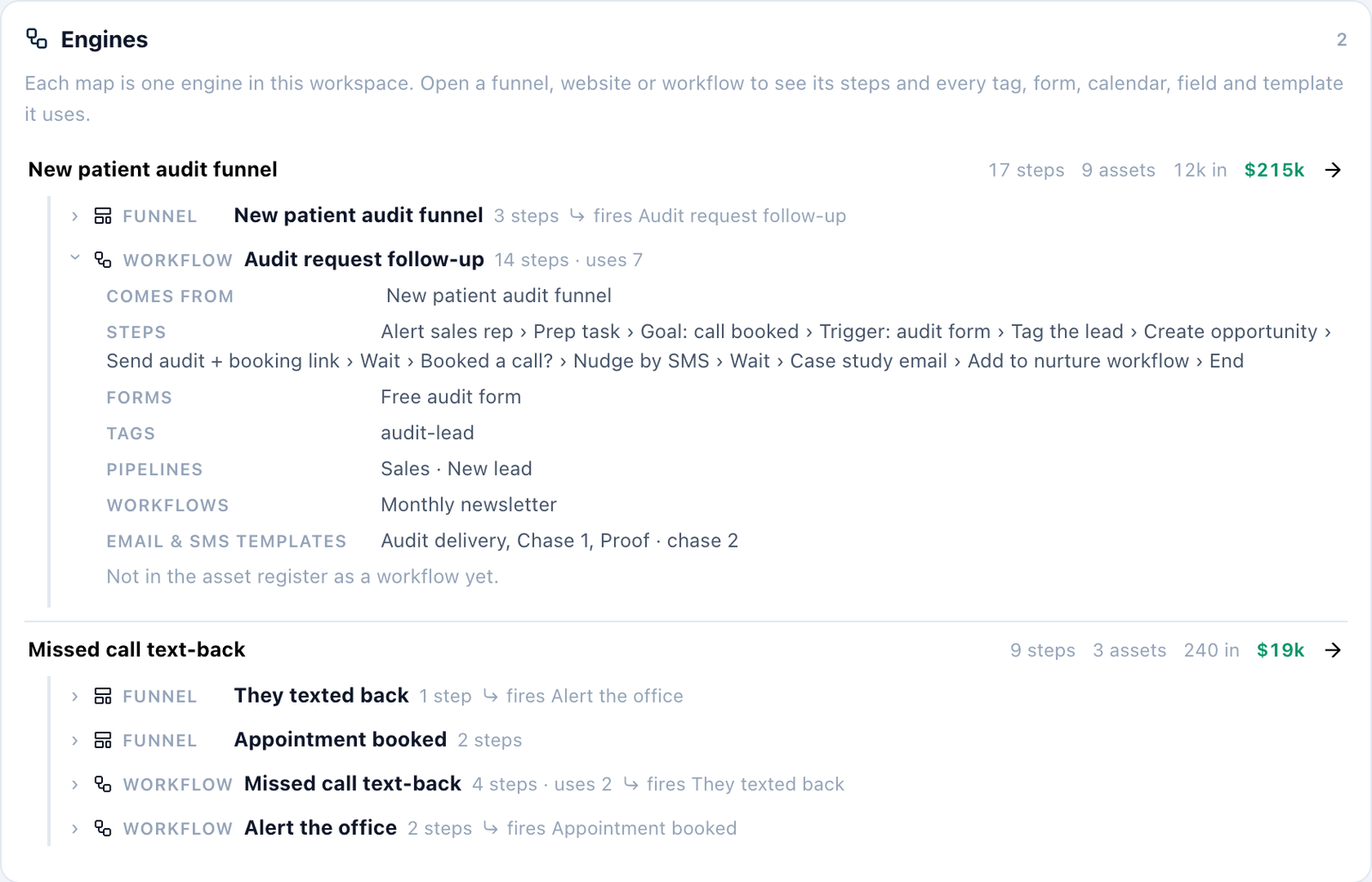
        The Snapshot is organised by engine, then funnel, website and workflow. Open any of them to see its steps and every tag, form, calendar, field, pipeline and template it uses. Anything not written up yet is marked.

        The Snapshot Engines list: each engine, then its funnels and workflows, one opened to show its steps, forms, tags and templates
      • New

        The Assets tab groups by engine and then by the workflow or funnel that uses each asset.

      • New

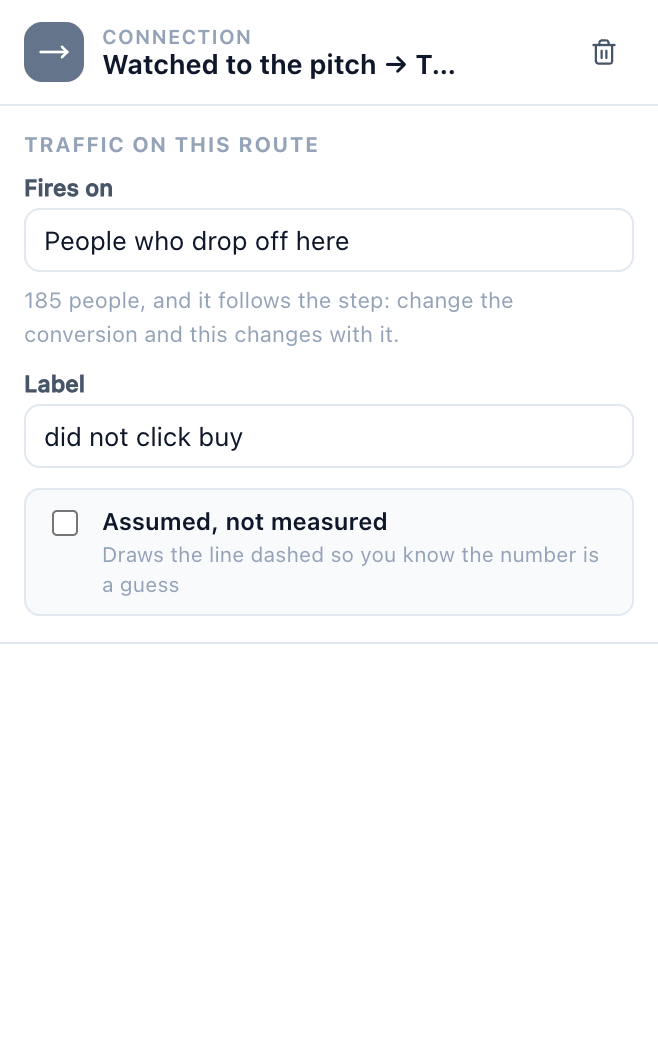
        Fires on. A workflow hung off a page fires on the people who carry on, the people who drop off, or everyone, and follows the page when its conversion changes.

        A connection into a workflow set to fire on People who drop off here
      • New

        55 more HighLevel triggers and actions, 291 in all. Opportunities now use HighLevel's separate Find, Create and Update actions, plus owners and followers. The retired Create / update opportunity action stays readable on older maps.

      • New

        What's new. A dot on your workspace menu shows when there is an update like this one. Click What's new in that menu to read it.

      • Improved

        One meaning for snapshot. A workspace is a sub-account, and Snapshot is the page that lists everything in its HighLevel snapshot. To set up a new client from a system you have built, use Copy for a new client in the workspace menu. Anything a snapshot cannot carry arrives marked Needs config.

      • Improved

        Plans are simpler. You type the traffic on your source and each page's conversion on that page. Everything after it follows, workflows included. Maps made before today convert by themselves, with nothing moving on screen.

      • Improved

        Cleaner maps. Generated funnels no longer put a "Lead captured" step between two pages, and every card shows that step's own conversion.

      • Improved

        Connect your AI. Maps your assistant draws come out tidy, with workflows named the way HighLevel names them. The skill download now shows the date it last changed.

      • Fixed

        Undo now takes back number changes too, not just steps and connections.

      • Fixed

        A second route from a page starts at 0% instead of quietly taking everyone the page loses.

      • Fixed

        Maps with a loop, such as a follow-up that books people back in, now count the people it recovers.

      • Fixed

        Conversions in the top bar count the end of the funnel only, never the end of a workflow.

      • Fixed

        The top bar fits on 1280px and 1440px laptop screens, and the maps menu beside the map name is back.

    4. Easier HighLevel imports

      • New

        Pulling your real numbers from HighLevel now works in the hosted app.

      • New

        Become an affiliate, from the account menu.

      • Improved

        The Import data window is rebuilt: one tab for HighLevel and one for a spreadsheet, full names on every line, a unit under every count, and one button to put the numbers on the map.

    5. Connect your AI

      • New

        Connect Claude, ChatGPT or another assistant to EngineMap and ask it to draw maps for you. It can read your maps too.

      • New

        The EngineMap skill: download it in Connect your AI so your assistant knows the product before it starts.

      • New

        Step details. Type a form's fields, an email's subject and more on any step, and they flow into the Build tab and the brief.

      • New

        A seven-day free trial, with no card needed.

    6. The Build tab and the Trade Engine

      • New

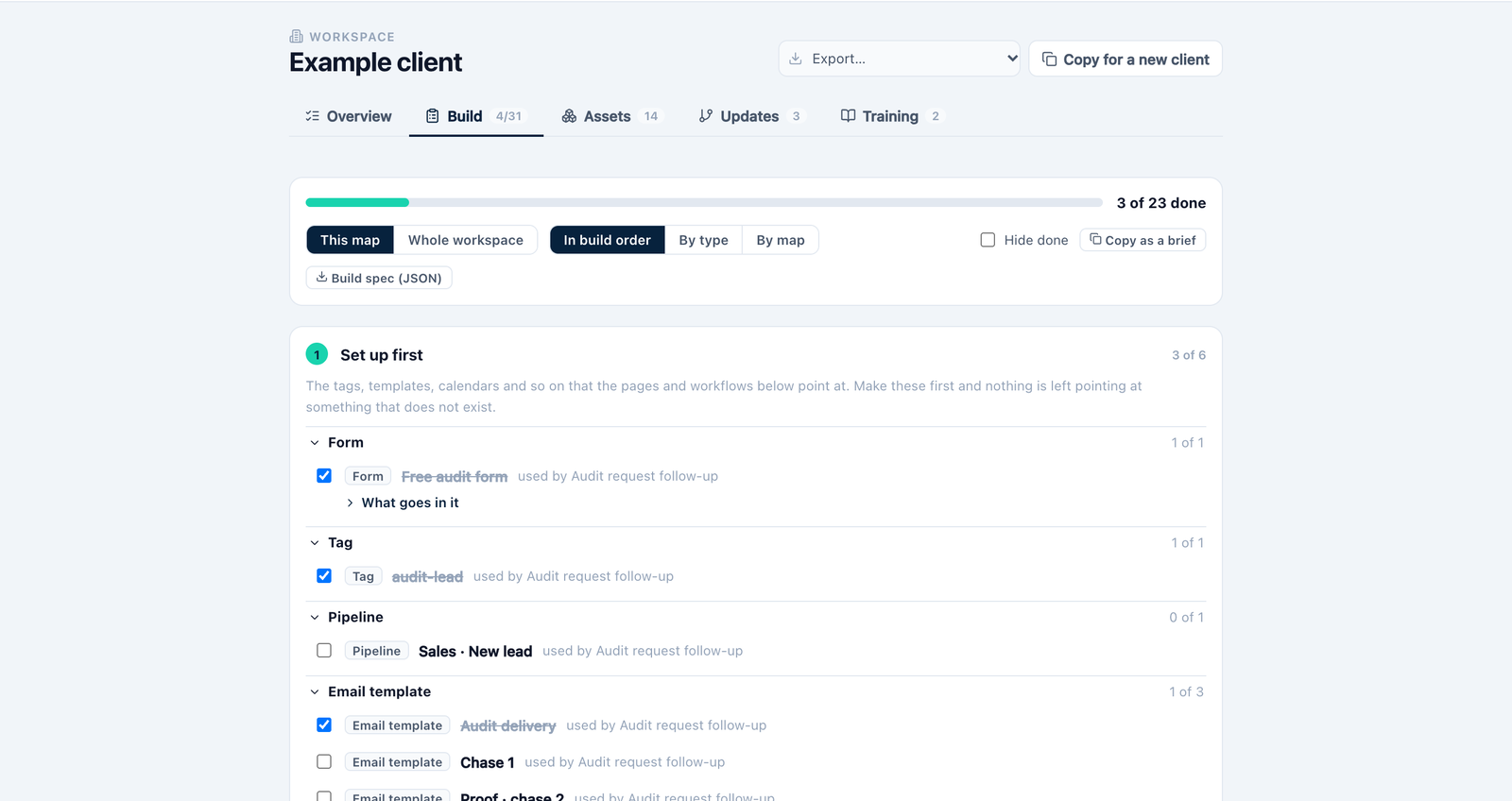
        The Build tab: what to make in HighLevel, in the order to make it, with what goes on each form, page and workflow.

        The Build tab: what to make in HighLevel, in order, with a progress bar and a tick list
      • New

        The Trade Engine: four maps for trades businesses, with 87 messages and 28 page templates ready to use.

      • Improved

        Pages are drawn as pages, calls and meetings as dark pills, and decisions as diamonds, so a map reads at a glance.

      • Improved

        A longer set-up: one question to a screen, ending in a map drawn for your business.

      • Fixed

        No more overlapping steps and labels on the templates.

    7. The Coach Engine

      • New

        The Coach Engine: twelve maps for coaches, from call booking, quiz, workshop and launch front ends to 1:1, group and community back ends, with every message written.

      • Improved

        More HighLevel steps in the library, each checked against HighLevel's own help articles.

    See it for yourself

    Seven days free. No card needed.

    Open EngineMap